Users and licenses

The user list shows everyone in your organization with BeeSensible access.

Roles

Admin โ€” Full access to the dashboard, settings, and analytics. Can invite users and configure detection profiles.

User โ€” Uses the browser extension only. Cannot access the dashboard or change settings.
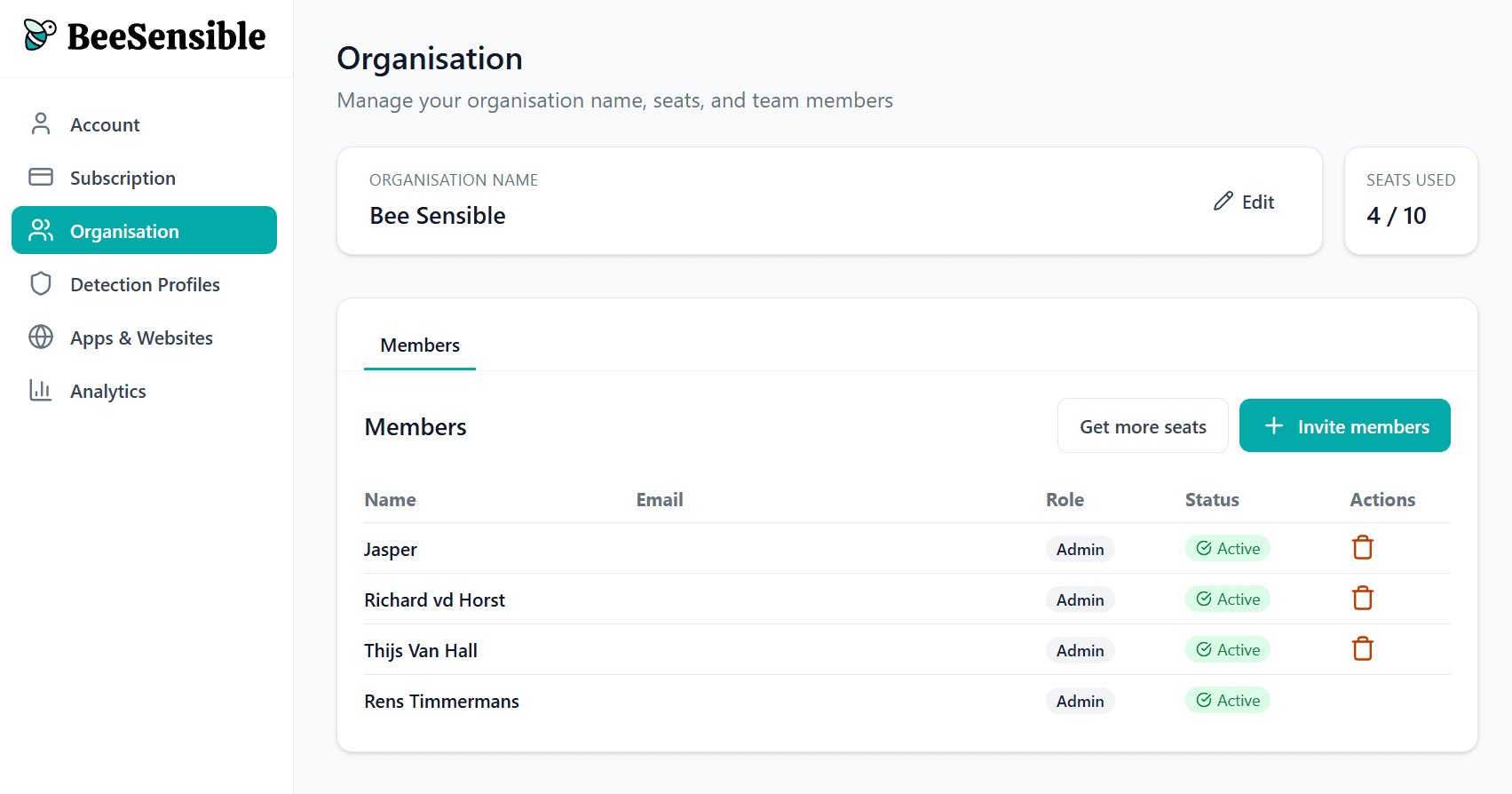
Seats

The header shows your license usage: "7 of 10 seats in use" means three more people can be invited without expanding your plan.

Adding users

Click Invite and enter an email address. The person receives instructions to install the extension. Once they complete setup, they appear in your list as active.

Removing users

When someone leaves your organization, delete their account. The license becomes available immediately for someone else.

User status

  • Active โ€” Extension installed, account working

  • Pending โ€” Invitation sent, setup not completed

  • Disabled โ€” Account suspended, not using a license

Users and licenses

The user list shows everyone in your organization with BeeSensible access.

Roles

Admin โ€” Full access to the dashboard, settings, and analytics. Can invite users and configure detection profiles.

User โ€” Uses the browser extension only. Cannot access the dashboard or change settings.

Seats

The header shows your license usage: "7 of 10 seats in use" means three more people can be invited without expanding your plan.

Adding users

Click Invite and enter an email address. The person receives instructions to install the extension. Once they complete setup, they appear in your list as active.

Removing users

When someone leaves your organization, delete their account. The license becomes available immediately for someone else.

User status

  • Active โ€” Extension installed, account working

  • Pending โ€” Invitation sent, setup not completed

  • Disabled โ€” Account suspended, not using a license

Users and licenses

The user list shows everyone in your organization with BeeSensible access.

Roles

Admin โ€” Full access to the dashboard, settings, and analytics. Can invite users and configure detection profiles.

User โ€” Uses the browser extension only. Cannot access the dashboard or change settings.

Seats

The header shows your license usage: "7 of 10 seats in use" means three more people can be invited without expanding your plan.

Adding users

Click Invite and enter an email address. The person receives instructions to install the extension. Once they complete setup, they appear in your list as active.

Removing users

When someone leaves your organization, delete their account. The license becomes available immediately for someone else.

User status

  • Active โ€” Extension installed, account working

  • Pending โ€” Invitation sent, setup not completed

  • Disabled โ€” Account suspended, not using a license