Apps and websites
This screen controls where BeeSensible is active and which detection profile applies to each application.
Default profile
At the top, you set a default profile. This applies everywhere unless you specify something different for a particular app.
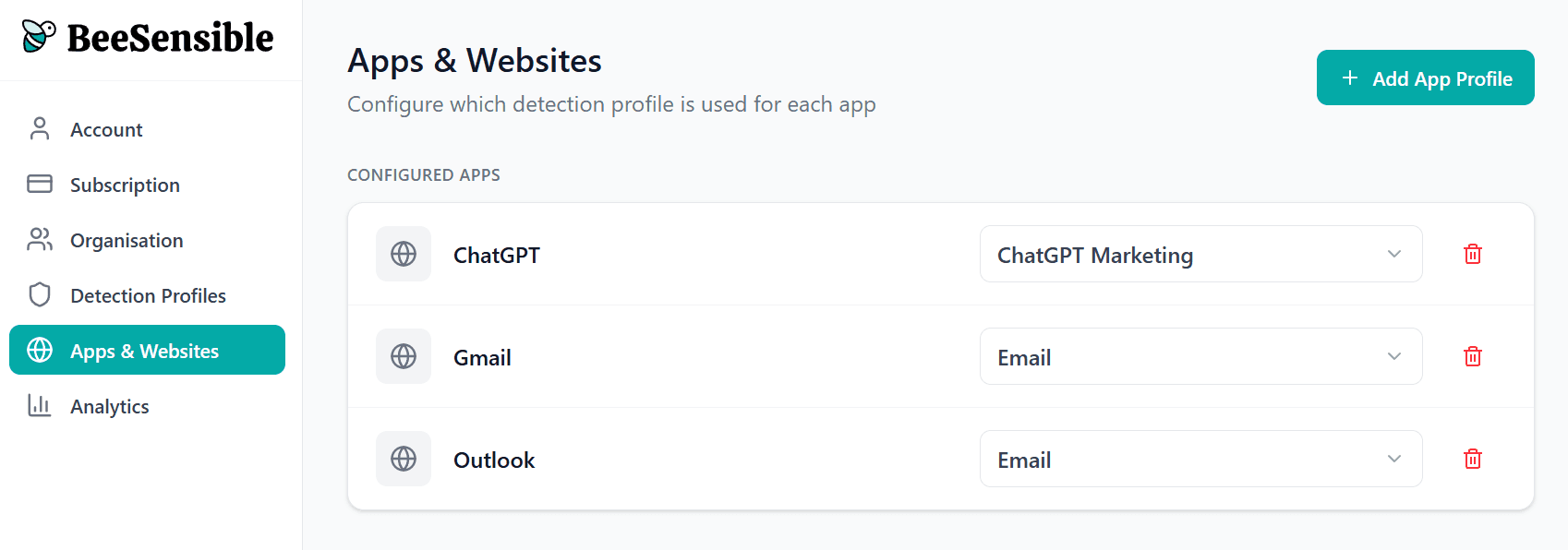
Per-app settings
Below the default, you see specific applications. For each, you can:
Use default — Apply the standard profile
Use specific profile — Apply a different profile
Disable — Turn off BeeSensible for this app
Example configuration
Application | Setting |
|---|---|
Default | Standard profile |
ChatGPT | Strict profile |
Claude | Strict profile |
Gmail | Standard profile |
Slack | Disabled |
Adding applications
BeeSensible supports common web applications out of the box. If you use specialized tools, you can let us know in support.
Thinking about your configuration
Consider the risk profile of each application:
External AI tools — Data processed on third-party servers → stricter settings
External communication — Email, chat with outside parties → standard or strict
Internal tools — Data stays within your organization → standard or relaxed