Getting started as admin

As an administrator, you configure what BeeSensible detects, where it's active, and what level of sensitivity applies to each data type. Users see highlights and act on them. You define the rules that determine what gets highlighted.

What you'll set up

  1. Detection profiles โ€” Which data types to recognize and how sensitive each one is

  2. Apps and websites โ€” Where BeeSensible is active and which profile applies to each

  3. Users โ€” Who has access and what role they have

The dashboard

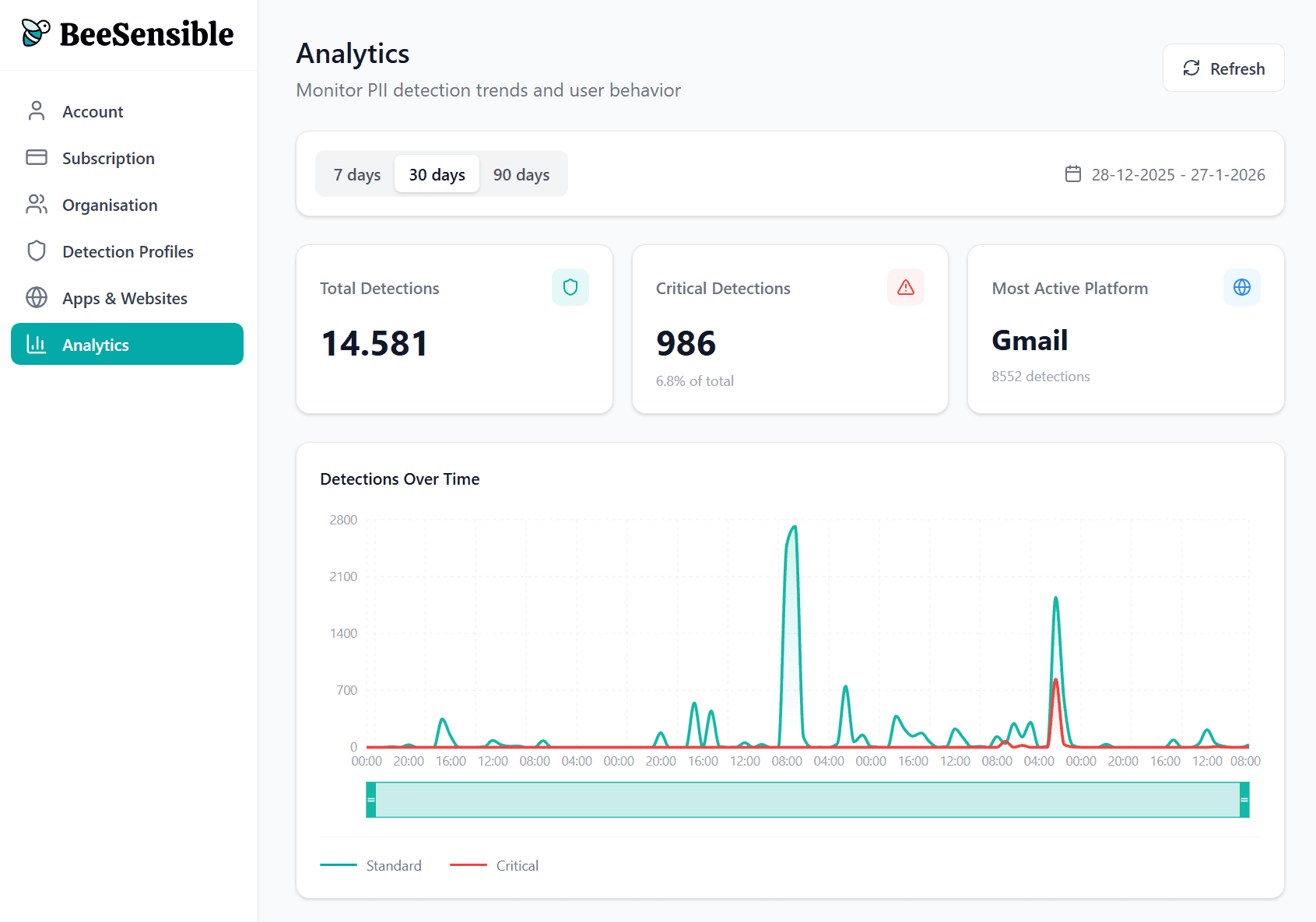
After logging in, you'll see navigation on the left:

  • Account and subscription: Your plan, seat count, billing

  • Users: Everyone with access and their roles

  • Detection profiles: Data types and sensitivity levels

  • Apps and websites: Where BeeSensible runs and which rules apply

  • Analytics: Aggregate patterns across your organization
A sensible starting point

Most organizations start with:

  1. One general detection profile based on their privacy policy

  2. A stricter profile for external AI tools

  3. Invitations sent to a pilot group before rolling out widely

You can refine settings over time as you see how people use the tool and what patterns emerge in analytics.

Getting started as admin

As an administrator, you configure what BeeSensible detects, where it's active, and what level of sensitivity applies to each data type. Users see highlights and act on them. You define the rules that determine what gets highlighted.

What you'll set up

  1. Detection profiles โ€” Which data types to recognize and how sensitive each one is

  2. Apps and websites โ€” Where BeeSensible is active and which profile applies to each

  3. Users โ€” Who has access and what role they have

The dashboard

After logging in, you'll see navigation on the left:

  • Account and subscription: Your plan, seat count, billing

  • Users: Everyone with access and their roles

  • Detection profiles: Data types and sensitivity levels

  • Apps and websites: Where BeeSensible runs and which rules apply

  • Analytics: Aggregate patterns across your organization

A sensible starting point

Most organizations start with:

  1. One general detection profile based on their privacy policy

  2. A stricter profile for external AI tools

  3. Invitations sent to a pilot group before rolling out widely

You can refine settings over time as you see how people use the tool and what patterns emerge in analytics.

Getting started as admin

As an administrator, you configure what BeeSensible detects, where it's active, and what level of sensitivity applies to each data type. Users see highlights and act on them. You define the rules that determine what gets highlighted.

What you'll set up

  1. Detection profiles โ€” Which data types to recognize and how sensitive each one is

  2. Apps and websites โ€” Where BeeSensible is active and which profile applies to each

  3. Users โ€” Who has access and what role they have

The dashboard

After logging in, you'll see navigation on the left:

  • Account and subscription: Your plan, seat count, billing

  • Users: Everyone with access and their roles

  • Detection profiles: Data types and sensitivity levels

  • Apps and websites: Where BeeSensible runs and which rules apply

  • Analytics: Aggregate patterns across your organization

A sensible starting point

Most organizations start with:

  1. One general detection profile based on their privacy policy

  2. A stricter profile for external AI tools

  3. Invitations sent to a pilot group before rolling out widely

You can refine settings over time as you see how people use the tool and what patterns emerge in analytics.