Detection profiles

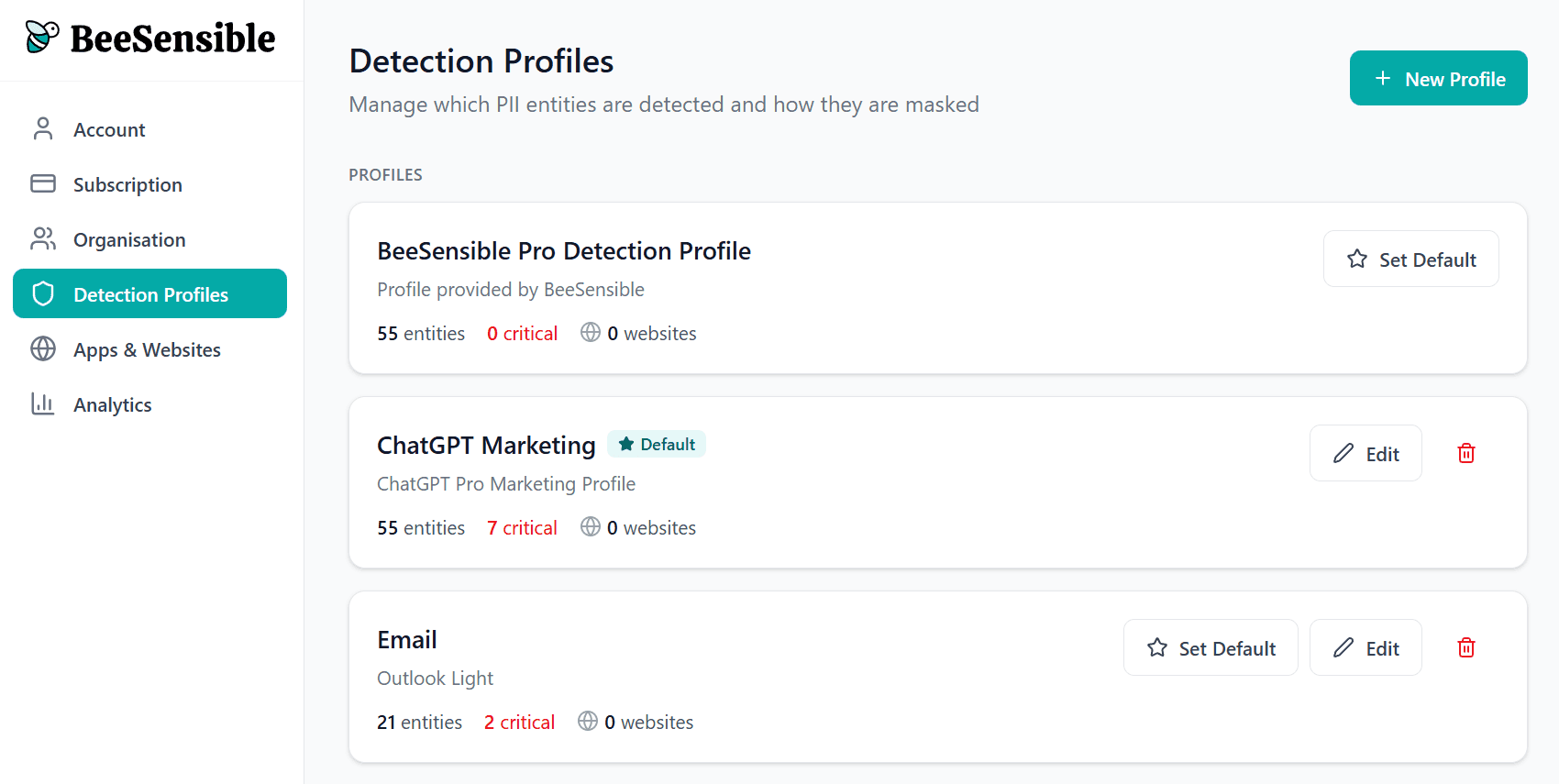
A detection profile defines which data types BeeSensible recognizes and how sensitive each one is.

How profiles work

For each data type, you decide:

  • Detect? โ€” Should BeeSensible look for this?

  • Severity? โ€” Standard (yellow) or critical (red)?

Users see highlights based on these choices. They don't see or interact with profile settings directly.
Data categories

BeeSensible recognizes data in eight categories:

Identity & Authentication
Names, birthdates, passport numbers, employee IDs, student numbers

Health & Medical
Patient numbers, medication names, medical codes, blood types, insurance numbers

Financial & Economic
Credit card numbers, CVVs, IBANs, bank accounts, tax IDs, salary data

Location & Contact
Email addresses, phone numbers, street addresses, postcodes, IP addresses

Sensitive Personal Attributes
Religion, ethnicity, sexual orientation, political affiliation, union membership (Special categories under GDPR โ€” typically marked critical)

Technical & Organizational
Usernames, passwords, API keys, device IDs, MAC addresses

Travel & Transportation
Flight numbers, ticket numbers, license plates

General Business
Product names, event names

Creating your first profile

Start with one general profile that reflects your baseline policy:

  • Names, emails, phone numbers โ†’ Standard (yellow)

  • Financial data, credentials, special categories โ†’ Critical (red)

This gives users helpful awareness without overwhelming them with red highlights everywhere.

When to create additional profiles

Create separate profiles when different contexts need different rules:

  • AI tools โ€” Stricter settings because data leaves your organization

  • Industry-specific tools โ€” Custom detection for your domain (patient IDs, student numbers)

  • Internal tools โ€” Possibly more relaxed settings for trusted environments

Detection profiles

A detection profile defines which data types BeeSensible recognizes and how sensitive each one is.

How profiles work

For each data type, you decide:

  • Detect? โ€” Should BeeSensible look for this?

  • Severity? โ€” Standard (yellow) or critical (red)?

Users see highlights based on these choices. They don't see or interact with profile settings directly.

Data categories

BeeSensible recognizes data in eight categories:

Identity & Authentication
Names, birthdates, passport numbers, employee IDs, student numbers

Health & Medical
Patient numbers, medication names, medical codes, blood types, insurance numbers

Financial & Economic
Credit card numbers, CVVs, IBANs, bank accounts, tax IDs, salary data

Location & Contact
Email addresses, phone numbers, street addresses, postcodes, IP addresses

Sensitive Personal Attributes
Religion, ethnicity, sexual orientation, political affiliation, union membership (Special categories under GDPR โ€” typically marked critical)

Technical & Organizational
Usernames, passwords, API keys, device IDs, MAC addresses

Travel & Transportation
Flight numbers, ticket numbers, license plates

General Business
Product names, event names

Creating your first profile

Start with one general profile that reflects your baseline policy:

  • Names, emails, phone numbers โ†’ Standard (yellow)

  • Financial data, credentials, special categories โ†’ Critical (red)

This gives users helpful awareness without overwhelming them with red highlights everywhere.

When to create additional profiles

Create separate profiles when different contexts need different rules:

  • AI tools โ€” Stricter settings because data leaves your organization

  • Industry-specific tools โ€” Custom detection for your domain (patient IDs, student numbers)

  • Internal tools โ€” Possibly more relaxed settings for trusted environments

Detection profiles

A detection profile defines which data types BeeSensible recognizes and how sensitive each one is.

How profiles work

For each data type, you decide:

  • Detect? โ€” Should BeeSensible look for this?

  • Severity? โ€” Standard (yellow) or critical (red)?

Users see highlights based on these choices. They don't see or interact with profile settings directly.

Data categories

BeeSensible recognizes data in eight categories:

Identity & Authentication
Names, birthdates, passport numbers, employee IDs, student numbers

Health & Medical
Patient numbers, medication names, medical codes, blood types, insurance numbers

Financial & Economic
Credit card numbers, CVVs, IBANs, bank accounts, tax IDs, salary data

Location & Contact
Email addresses, phone numbers, street addresses, postcodes, IP addresses

Sensitive Personal Attributes
Religion, ethnicity, sexual orientation, political affiliation, union membership (Special categories under GDPR โ€” typically marked critical)

Technical & Organizational
Usernames, passwords, API keys, device IDs, MAC addresses

Travel & Transportation
Flight numbers, ticket numbers, license plates

General Business
Product names, event names

Creating your first profile

Start with one general profile that reflects your baseline policy:

  • Names, emails, phone numbers โ†’ Standard (yellow)

  • Financial data, credentials, special categories โ†’ Critical (red)

This gives users helpful awareness without overwhelming them with red highlights everywhere.

When to create additional profiles

Create separate profiles when different contexts need different rules:

  • AI tools โ€” Stricter settings because data leaves your organization

  • Industry-specific tools โ€” Custom detection for your domain (patient IDs, student numbers)

  • Internal tools โ€” Possibly more relaxed settings for trusted environments