How BeeSensible works
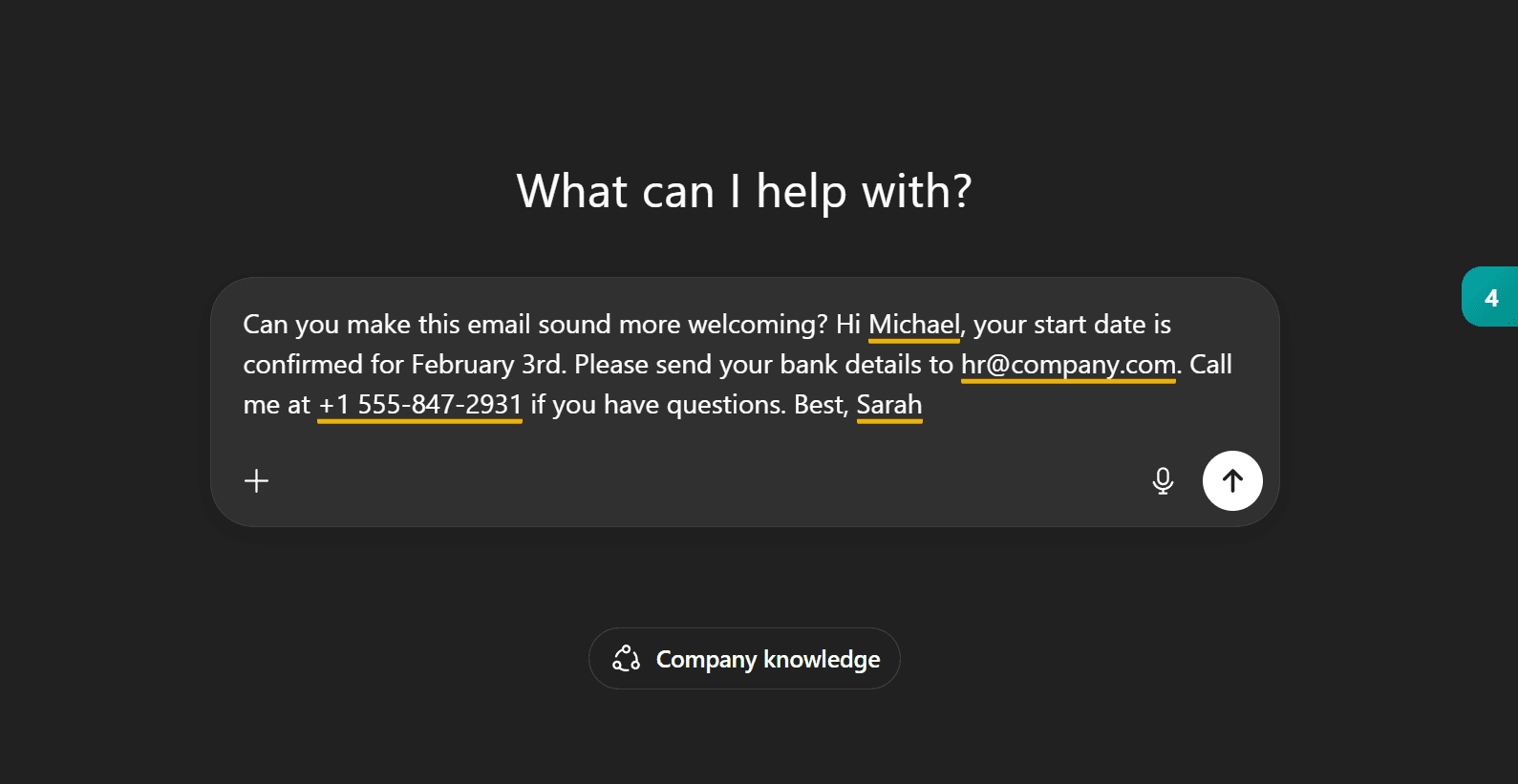
BeeSensible runs in your browser as an extension. When you type in a supported application, it scans your text for sensitive information: names, email addresses, phone numbers, bank account numbers, and other data types your organization has configured.
When something is detected, two things happen:
The text gets a colored highlight directly in your document or message
A small counter appears in the corner of your screen
That's it. BeeSensible shows you what it found. You decide what to do next.
Where it works
BeeSensible is active in web-based applications where you type text: email, documents, chat, AI tools. You work as you normally would. BeeSensible runs in the background and only becomes visible when it detects something.
When you see nothing
If BeeSensible doesn't highlight anything, your text contains no recognized sensitive data based on your organization's settings. You can continue working without interruption.
What BeeSensible doesn't do
BeeSensible never changes your text automatically. It never blocks you from sending. It never decides for you.
The extension shows you what might be sensitive and gives you tools to handle it. The decision is always yours.