Colors and what they mean
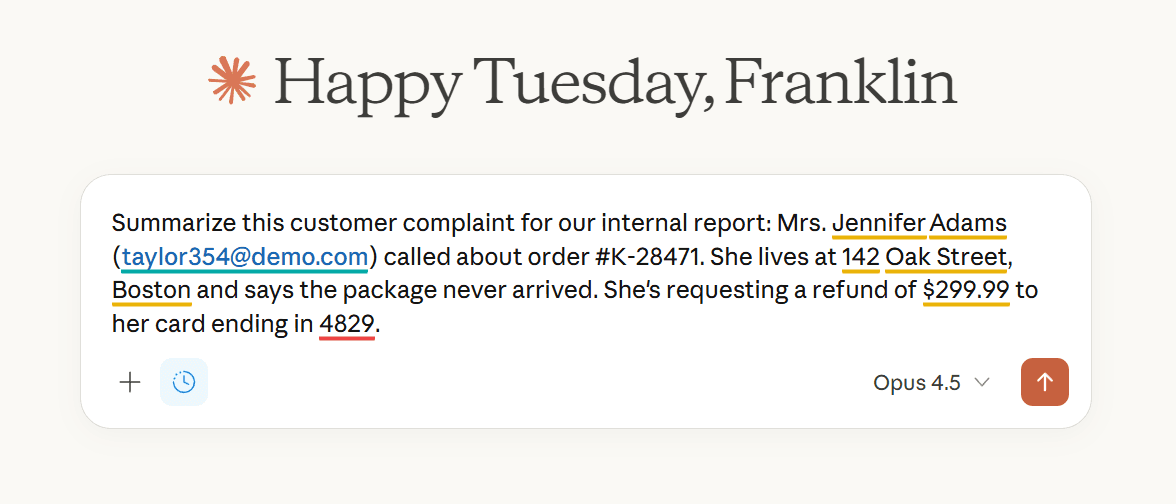
BeeSensible uses three colors to show you what's in your text.
Yellow: standard sensitivity
Names, email addresses, phone numbers. Information that deserves attention but often appears in normal communication.
Red: critical sensitivity
Bank account numbers, social security numbers, medical information, passwords. Pause and think before sharing.
Teal: already handled
After you remove, replace, or mask something, the highlight changes to teal.
Why colors differ between apps
Your organization can configure different sensitivity levels per application. A name might be yellow in email but red in an AI tool.