
BeeSensible works like spell-check for privacy. While you type in ChatGPT, Outlook, or other tools, you instantly see which information is sensitive. You decide what to do with it.
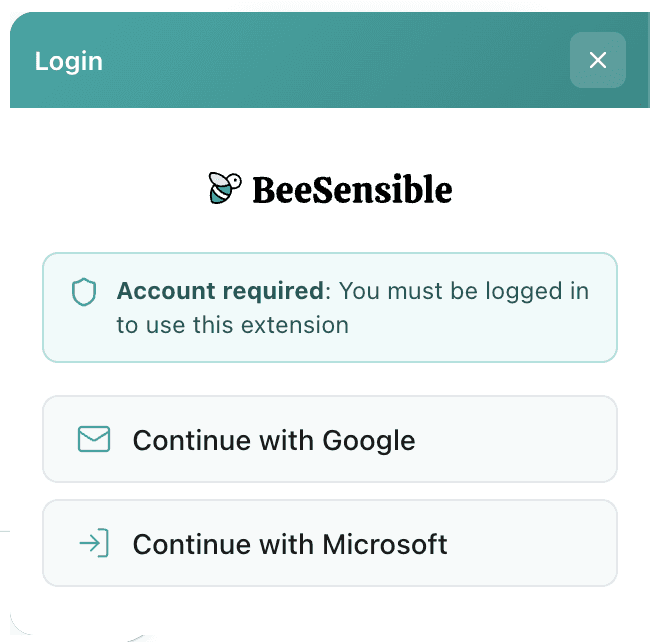
1. Sign in
Click the BeeSensible icon in the right of your browser and sign in with your work account. The extension activates immediately across all supported websites.
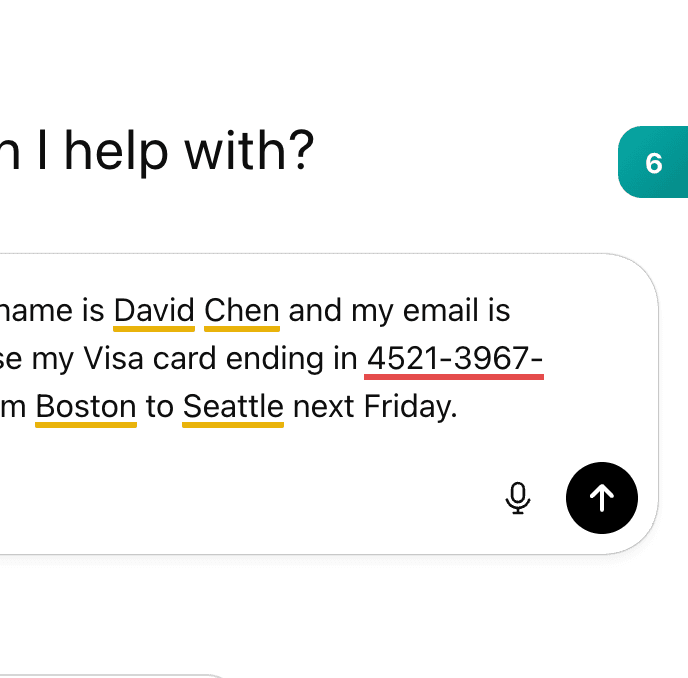
2. Recognize
Start typing in ChatGPT, Outlook, or another supported platform. When you type a name, email address, or other sensitive data, a colored highlight appears.
Yellow = standard sensitive (names, emails)
Red = critical sensitive (SSN, medical data)
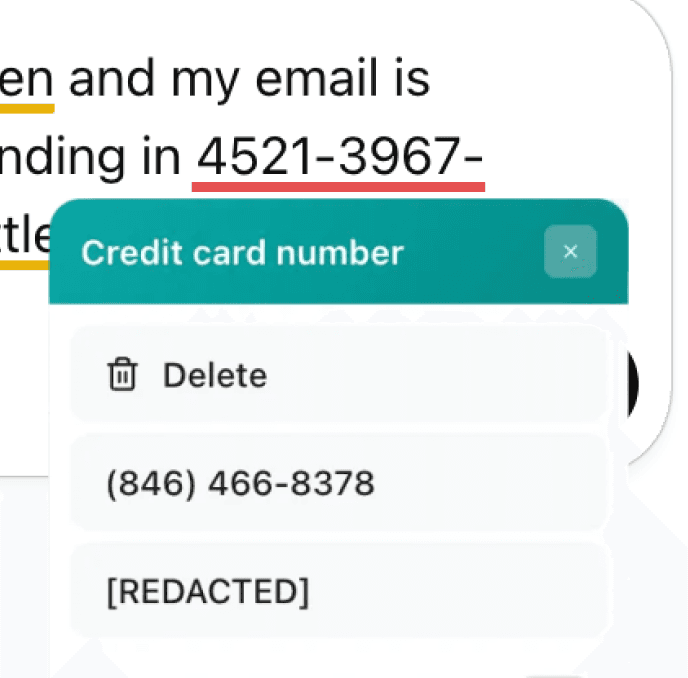
3. Decide
Hover above any highlight for three options:
Delete – removes the data
Replace – generates a random alternative
Mask – changes it to [REDACTED]
Or ignore the highlight if you want to share the information intentionally. BeeSensible never changes anything automatically.